
No-code help, or technical analytics?
Keep Excel and BI work apart from Python, forecasting and model building, which need more skills first.
Corporate AI training · Onsite & live online
Based in Bengaluru · delivering across India
For analytics teams · BI, analysis and reporting
Help your analysts use AI to analyse and report faster, while your data models, access rules and human checks stay sound.
AI Training for Data Analysts and BI Teams is private training for analysts, BI developers, reporting teams and analytics managers. It can combine AI help with analysis that needs no code, Excel or Power BI work, SQL and DAX support, writing up findings, checking unusual results and an optional Python or machine-learning track. The training uses the tools and data your company has approved. Access to Copilot or other product features depends on your licences, capacity, region and admin settings. It also covers AI for BI teams who build and publish reports.
Updated
Scope boundary: No tool can make up for unclear data definitions, weak access controls or poor data models. You stay responsible for licences, capacity, data permissions and publishing live reports.
The same AI feature has a different value and risk for someone reading a report, an analyst and the owner of the data model.
Keep Excel and BI work apart from Python, forecasting and model building, which need more skills first.
Name the approved datasets, definitions, data models and access limits before asking AI to explain results.
Formulas, queries, calculations, write-ups and unusual results should all trace back to the source data and business rules.
AI can draft an explanation. The analyst decides what matters, adds context, states how sure they are and writes the final message.
Exercises use your BI tools and keep AI help apart from the analyst’s own judgement.
Turn a business request into a clear question, metric, level of detail, comparison and check.
Use AI to explain or draft a calculation or query from a known table structure.
Explore patterns and build a view in your approved Excel or BI setup.
Draft a management summary from checked figures, variances and context.
Use AI to suggest checks and break down an odd result, rather than calling every change a problem.
For ready groups, move from BI analysis into repeatable Python and first steps with models.
These courses differ in tool, starting level and depth. They are not different names for the same thing.
Use generative AI to frame, analyse, check and explain business data, with no coding.
Best for: Analysts and business staff who want a no-code workshop
Build skills in data preparation, data models, DAX, charts and publishing.
Best for: BI teams that work mainly with Microsoft tools
A broader route across spreadsheets, SQL, BI, interpretation and AI help.
Best for: People building skills across several tools
Use Python to prepare data, build and test models, and explain their limits.
Best for: Analysts moving into model building
Start with one shared foundation, then split practice where the skills needed differ.
| Decision point | No-code / BI help | Python / model-building route |
|---|---|---|
| Best for | Analysts who work mainly in Excel and BI tools | Analysts who will write code for repeatable analysis or models |
| What you need first | Comfort with data and reports | Analytics basics, and readiness to learn or use Python |
| Practice | Questions, formulas, charts, write-ups and checks | Data preparation, code, models, testing and explaining |
| Output | A checked analysis or report write-up | A notebook, model evidence and its known limits |
Outputs stay tied to approved tools and agreed data definitions.
Questions, metrics, comparisons and checks are clear before work starts.
Queries, formulas and write-ups are tested and matched to the source, not copied.
Findings keep data, interpretation, doubt and recommendation apart.
The team knows whether BI depth, SQL, Python, ML or adoption support should come next.
The same five steps every time keep the training tied to your team’s real work, with the costs and delivery details set out in writing.
Chandan, our corporate L&D expert, asks who the training is for, what they need, any limits on delivery and what should change afterwards.
A Technovids subject expert checks your team’s starting level, tools, examples, risks and the output you want.
It confirms the agenda, format, dates, group size, what is included and excluded, and the price.
Short explanations, demos, practice and feedback, ending with a task from your team’s own work.
Your team keeps the agreed templates and work, and you receive the completion or follow-up details set out in the proposal.
The written scope confirms the tools, datasets and outputs included.
Question, data, method, checks, interpretation and how you report it.
A formula, query, report, write-up or notebook, with the checks shown.
No-code, BI developer, SQL, Python and model-building needs, split by role.
Reports or analyses worth trying next, with owners, data and evidence needs.
Every programme teaches your people to work within your company’s rules, with a person clearly in charge of the result.
Your team learns what they can type into an AI tool, what must stay out, and when to use an approved workspace or a made-up example.
Facts, sums, sources, tone and the effect on any decision are checked against the original material.
AI can help with a step, but a named person still checks the output and owns the decision or message.
Teams compare quality, effort, risk and take-up on one defined task, instead of claiming general time savings.
Microsoft lists capacity, admin, region and access requirements. Technovids checks your actual setup rather than assuming every Copilot feature is available.
Real photos from Technovids training sessions. They show how we teach, not a promised result for your group.


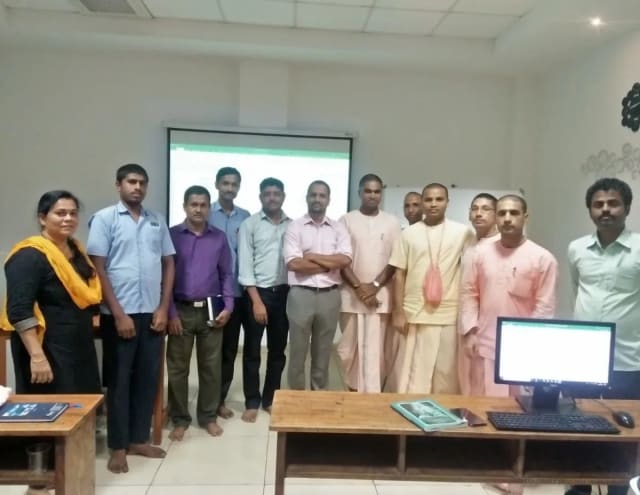
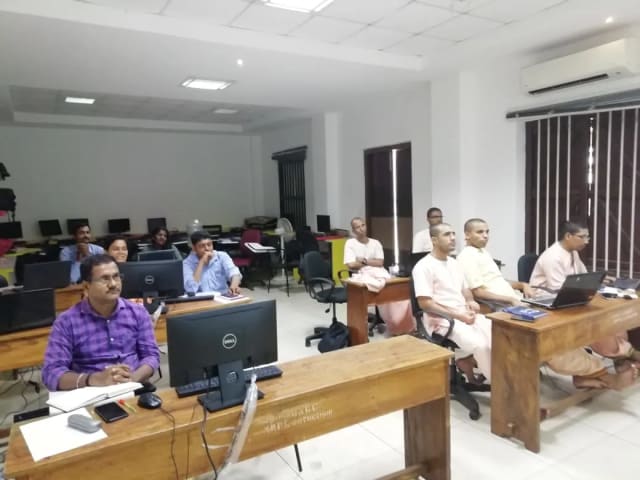


We choose the trainer once we know who is attending, how deep the subject goes and how it will be delivered.
Co-founder & Lead Instructor, Technovids Consulting
Pankaj is a co-founder and the lead instructor at Technovids Consulting. His programme work spans practical AI adoption, AI engineering, evaluation, responsible production AI, data analytics and corporate learning design, with an emphasis on hands-on exercises connected to workplace tasks.
Expertise:
AI & Machine Learning Trainer, Strategist and Consultant
Junaid is an AI and machine-learning trainer, strategist and consultant with more than 22 years of training experience. His work combines enterprise AI education, business-centred adoption, responsible AI practices and applied solution design, helping professional audiences connect AI concepts to real organisational needs.
M.E. in Computer Engineering, specialising in Artificial Intelligence · author of programming books on Python, Java and C++
Expertise:
Technical Trainer & Curriculum Architect
Pradeep is a technical trainer and curriculum architect with more than 20 years of experience across enterprise technology, cloud infrastructure and advanced AI systems. He designs practitioner-focused programmes, labs and assessments covering AI, LLM systems, Python and machine learning, translating complex technical subjects into structured learning experiences.
Bachelor of Engineering in Electrical Engineering · instructor-led, virtual and blended delivery
Expertise:
Your proposal names the trainer. Not every trainer shown here teaches every programme.
To book a trainer for your team, call +91 86183 46384 or email [email protected].
Updated
Clients who agreed to be named, feedback from people we have trained and real photos from our sessions show how Technovids works. They are not a promise of any particular result.




















Hands-on training for people and teams in AI, data, cloud, productivity and workplace skills.
What people we trained found useful in their day-to-day work.
Technovids AI training was very practical and well structured. The sessions helped me understand how AI concepts can be applied in real data engineering and business workflows, instead of only learning theory. The trainer explained the topics clearly with relevant examples, which made the learning experience valuable and easy to follow.
Technovids delivered the AI training in a very practical and industry-relevant way. As a data engineer, I found the examples and hands-on discussions useful for understanding how AI can improve data workflows, automation, and decision-making. The sessions were well planned and easy to understand.
The AI training program by Technovids was insightful and professionally delivered. It covered important AI concepts in a simple and practical manner, with examples that connected well with data and analytics use cases. The sessions helped me build a stronger foundation in applying AI in real business scenarios.
Finding a course that goes deep into Retrieval-Augmented Generation (RAG) is surprisingly hard. Most just scratch the surface. Technovids delivered an incredibly detailed deep dive into RAG pipelines, LangChain, and LlamaIndex. The hands-on projects helped me understand how to manage vector databases and chunking strategies effectively. It’s easily the most practical Generative AI training I’ve taken.
I enrolled in this program to figure out how to leverage AI for data storytelling and reporting. The practical walkthroughs on using AI tools for data analysis, specifically around Microsoft Copilot and advanced prompting for business intelligence, were eye-opening. The Technovids trainers keep it 100% practical. I walked away with actionable templates that I started using at work the very next day.
Our team used to spend two full days every month pulling together the board report. After this workshop we got it down to four hours using ChatGPT and Power BI Copilot. The ROI was immediate.
These answers cover what this page offers. Your written proposal sets out the terms for your own programme.
Not for the no-code or BI route. Analytics with Python and model building are separate routes, and the proposal confirms what they need first.
Power BI, Excel and related Microsoft tools are common choices. Tableau or another tool you use can be covered when the modules and trainer skills support it. The proposal names the actual tools.
No. Microsoft lists capacity, tenant, region and access requirements, and some features may still be in preview. Please confirm your current setup before we finalise the exercises.
They can share the basics, but deeper practice should split. BI developers need modelling, calculation and publishing work. Analysts need framing questions, interpreting results and reporting.
Only when you approve the dataset and the system it runs in. A safer default is made-up or anonymised data that matches your table structure and business rules, without exposing personal, confidential or live records.
Compare one defined report or analysis before and after the training on accuracy, matching to source, time, review effort and clarity. Do not apply general productivity percentages to your team.
Tell us who the training is for, roughly how many people, and what you want them to do better at work. The Technovids team will scope it and reply with a written proposal.
Request received
Thank you — your request has been sent to the Technovids corporate training team. If you would rather speak to someone directly, the phone and WhatsApp details are at the top and bottom of this page.
2nd Floor, Chandrodaya Complex, 19/19, 24th Main Rd, near Hanuman Temple, Agara Village, 1st Sector, HSR Layout, Bengaluru, Karnataka 560102.
Please contact us before visiting the head office. The HSR Layout address is a head office, not a walk-in public classroom.