
16 live hours · No traditional coding
Automation for Business Users — No-Code AI Workflows That Run While You Work
Stop copying data and chasing routine approvals by hand. Learn to map a workflow, build it visually, test failure paths and keep a human decision where the process needs one.
- Duration
- 16 live hours
- Core pattern
- Trigger, conditions, actions and review
- Audience
- Operations, HR, finance and marketing
- Coding
- No traditional programming required
What is the No-Code AI Automation course?
Automation for Business Users is 16 hours of instructor-led, no-code AI automation training for non-developers. Participants map repetitive work as triggers, conditions, actions, exceptions and approvals; build flows in Microsoft Power Automate or an agreed alternative; and add AI classification, extraction or drafting only where it is safe and useful. Tool choice and hands-on access depend on the organisation’s licences, connectors, permissions and approved AI provider.
Is this the right course for you or your team?
Who it is for
- Operations and administrative teams
- HR and L&D professionals
- Finance and reporting teams
- Marketing, sales and customer-support operations
Situations it fits
- People copy the same data between systems
- Approvals live in email chains with no clear status
- Scheduled reports depend on one person
- AI drafts are being added without review, logging or fallback
Prerequisites
- Comfort using email, forms and spreadsheets
- No traditional programming required
- Suitable accounts and connector permissions for hands-on work
- Use neutral data unless the organisation approves otherwise
The workflows this course helps teams redesign
Participants learn to distinguish deterministic process steps from decisions that still require a person.
“Copying data between tools”
The same information is re-entered, delayed and occasionally mistyped.
What you practise
Trigger a flow from an approved event, validate fields and update the destination with a logged outcome.
“Routing an approval”
Requests disappear in email and nobody knows who owns the next step.
What you practise
Create an approval state, named approver, timeout, reminder and escalation route.
“Producing a recurring summary”
A person assembles and formats the same report every week.
What you practise
Schedule data collection and template generation, then retain human review before distribution.
“Classifying or drafting with AI”
Generated content is accepted without confidence thresholds or fallback.
What you practise
Add explicit review, low-confidence handling, logging and a manual path.
What participants will be able to do
Practise the skills below through course exercises, then check the results and explain how you would apply them to your work.
Map a workflow
Document trigger, inputs, rules, actions, exceptions, approvals, owner and outcome.
Select an appropriate platform
Choose Power Automate or an agreed alternative based on existing systems, permissions and complexity.
Build a cloud flow
Configure triggers, actions, conditions, loops and approvals in a visual workflow.
Handle failure paths
Add validation, retries, timeouts, alerts, fallback and support ownership.
Add AI conditionally
Use approved AI for classification, extraction, summarisation or drafting with human review.
Test and hand over
Run normal, boundary and failure cases; document access, monitoring and change ownership.
Role-based use cases
How each team applies it to real work
Exercises are selected according to participant tools and permissions. Each flow has a named owner and a manual fallback.
HR & L&D
- Manual workflow
- Collect onboarding data and chase acknowledgements.
- Automation pattern
- Form submission triggers validation, document creation, task assignment and reminders.
- Control check
- Personal-data access, missing information, approval and deletion rules.
- Result
- A tracked onboarding workflow with an exception queue.
Operations
- Manual workflow
- Route service or incident requests by email.
- Automation pattern
- Extract fields, classify the request and create the appropriate task or notification.
- Control check
- Misclassification, priority override and escalation for high-impact cases.
- Result
- A monitored intake process with a manual fallback.
Finance
- Manual workflow
- Collect expense or purchase requests and obtain approval.
- Automation pattern
- Validate fields, route by threshold, record the decision and notify the requester.
- Control check
- Approval authority, duplicate requests, audit record and segregation of duties.
- Result
- A visible approval process—not an automated financial decision.
Marketing & sales
- Manual workflow
- Move qualified form leads into follow-up workflows.
- Automation pattern
- Validate, enrich, route and draft a first response using an approved template.
- Control check
- Consent, duplicate records, qualification logic and human approval of sensitive outreach.
- Result
- A logged lead-routing flow with clear ownership.
Use the platform that fits the systems you already operate
The standard route centres on Power Automate for Microsoft environments. Zapier and AI actions are added when access and business context support them.
Microsoft Power Automate
by MicrosoftVisual cloud flows for Microsoft 365 and connected business services.
- Event and scheduled triggers
- Conditions, actions and approvals
- Monitoring and error paths
- Used in
- Core workflow and approval labs.
- What to verify
- Connector availability, premium features, environment policy and permissions vary by tenant.
Zapier
by ZapierOptional — confirmed before delivery
Cross-application automation for supported SaaS tools.
- Trigger-action workflows
- Filters and data formatting
- Multi-step cross-app flows
- Used in
- Used when it matches the cohort or client toolset.
- What to verify
- Plan limits and app permissions affect available steps; filters are not available on every plan.
Approved AI provider
by Client-selected providerOptional — provider, data boundary and cost agreed before delivery
Optional classification, extraction, summarisation or drafting inside a flow.
- Classifying text
- Extracting structured fields
- Drafting a reviewable response
- Used in
- AI-assisted workflow only when an approved account is available.
- What to verify
- Do not send confidential data to an unapproved service; define review and fallback for uncertain output.
Power Automate often fits Microsoft 365 workflows; Zapier may suit cross-SaaS flows. The right choice depends on systems, connectors, policy, permissions and ownership.
16 hours · 16 live hours
Detailed curriculum
4 modules, each pairing short instruction with guided practice. Sequence and examples can be adjusted after the training-needs discussion; the core outcomes stay the same.
Module 13 hours Automation thinking and workflow mapping
- Automatable steps versus human judgement
- Triggers, conditions, actions, exceptions and outcomes
- Priority, value, risk and ownership
Practical activityMap and prioritise several recurring workflows.
Module 25 hours Power Automate foundations
- Event, scheduled and manually triggered cloud flows
- Microsoft 365 connectors and approvals
- Conditions, loops, variables and expressions
Practical activityBuild a form-to-record flow and an approval workflow.
Module 34 hours Cross-app flows and reliability
- Zapier or agreed alternative
- Filters, formatting and multi-step logic
- Validation, retries, timeouts and monitoring
Practical activityBuild and test a workflow across multiple approved applications.
Module 44 hours AI actions and capstone
- Classification, extraction, summarisation and drafting
- Confidence, review and manual fallback
- Access, logs, handover and change ownership
Practical activityDeliver a role-relevant workflow with test cases and operating notes.
Need a learning plan around your goals?
Share your experience, stack and goals. The proposal sets out the suitable modules.
Exercises and practical outputs
Participants build from a workflow map and test both the happy path and what happens when data or systems fail.
How every module runs
Map
Make the current process, decision points and owner visible.
Build
Create the smallest useful visual workflow.
Break
Test missing fields, duplicate events, rejected approvals and unavailable services.
Operate
Document monitoring, support, access and manual fallback.
Exercises use realistic examples with no sensitive data. What participants make in the workshop is for practice and review, and anything they keep is their own working material.
A workflow needs an owner when nobody is watching it run
The course treats permissions, failure handling and human approval as part of the build.
Check the product’s current documentation and your company’s data rules before you use these methods at work.
Least access required
Use service accounts and connector permissions appropriate to the task; do not give a flow broad access for convenience.
Human approval where consequences matter
Keep a named person in the loop for financial, employment, customer, legal or other consequential decisions.
Visible failure paths
Add validation, retries, alerts, exception queues and a manual route rather than allowing silent failure.
Logs and change ownership
Record runs, errors and important decisions, and name who reviews and updates the workflow when systems change.
How the course is tailored and delivered
We shape private training around how far along you are with AI, your approved tools, who decides what, the roles involved and the projects already under way.
From first conversation to evaluation
Agree the decision
Agree what your people must decide, design or put in place after the programme.
See where you are now
Look at roles, tools, policies, data limits and any AI or automation work already running.
Pick the examples
Choose realistic examples that are useful without exposing restricted information.
Agree the handover
Confirm the document, its owner, who reviews it and the next check-in after training.
Delivery formats
Public live-online cohort
Best for: Individuals joining a published batch with people from other companies
Live Zoom sessions, with notes, assignments, lab guides and three months of recordings on the Technovids LMS.
Private corporate programme
Best for: Teams that want examples from their own company and a shared piece of work
Live online or at your office. Scope, group size, materials, support and price are confirmed in writing.
Delivery modes
Live online
Trainer-led sessions with group work, shared documents and live review.
Onsite
Private training at your office, with the same exercises and review.
Discussion, practice and decisions—not a lecture marathon
Technovids training sessions with different groups. The photos do not name a client, course or result.

Photo 1 of 10: Hands-on session 
Photo 2 of 10: Group photo 
Photo 3 of 10: Hands-on session 
Photo 4 of 10: Group photo 
Photo 5 of 10: Classroom session 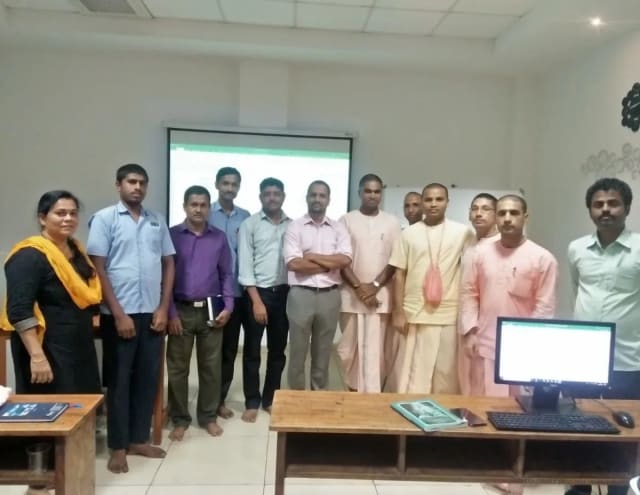
Photo 6 of 10: Group photo 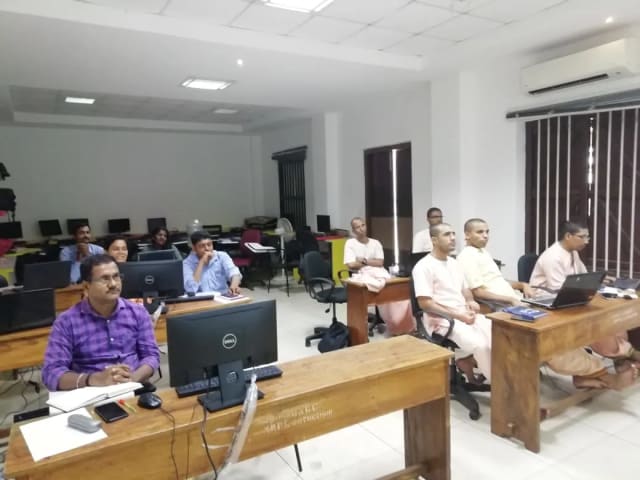
Photo 7 of 10: Computer-lab session 
Photo 8 of 10: Group photo 
Photo 9 of 10: Classroom session 
Photo 10 of 10: Group photo
Course details at a glance
The published course parameters on one page. Final scope, dates and fees are confirmed in the written proposal.
Discuss your training goals| Course | No-Code AI Automation |
|---|---|
| Duration | 16 live hours; platform choice and capstone scope are confirmed before delivery |
| Audience | Operations, HR, finance, marketing, sales and administrative teams |
| Prerequisite | No traditional programming; comfort with everyday business applications |
| Core platform | Power Automate or another platform agreed for the cohort |
| Equipment | Participant laptop and approved application accounts |
| Output | Tested workflow, failure paths and operating notes |
Who may deliver this programme
We choose a trainer whose subject knowledge and teaching experience suit your group and the agreed scope.
Pankaj Rana
Co-founder & Lead Instructor, Technovids Consulting
Pankaj is a co-founder and the lead instructor at Technovids Consulting. His programme work spans practical AI adoption, AI engineering, evaluation, responsible production AI, data analytics and corporate learning design, with an emphasis on hands-on exercises connected to workplace tasks.
Expertise:
- Practical AI adoption
- Prompting and evaluation
- Responsible AI
- Corporate learning design
Junaid Khateeb
AI & Machine Learning Trainer, Strategist and Consultant
Junaid is an AI and machine-learning trainer, strategist and consultant with more than 22 years of training experience. His work combines enterprise AI education, business-centred adoption, responsible AI practices and applied solution design, helping professional audiences connect AI concepts to real organisational needs.
M.E. in Computer Engineering, specialising in Artificial Intelligence · author of programming books on Python, Java and C++
Expertise:
- Enterprise AI and ML training
- AI strategy and adoption
- Responsible AI
- Applied AI solution design
Pradeep Varadarajan
Technical Trainer & Curriculum Architect
Pradeep is a technical trainer and curriculum architect with more than 20 years of experience across enterprise technology, cloud infrastructure and advanced AI systems. He designs practitioner-focused programmes, labs and assessments covering AI, LLM systems, Python and machine learning, translating complex technical subjects into structured learning experiences.
Bachelor of Engineering in Electrical Engineering · instructor-led, virtual and blended delivery
Expertise:
- AI and LLM systems
- Curriculum architecture
- Python and machine learning
- Hands-on lab design
The trainer for your sessions is confirmed with the dates or in the written proposal.
To book a trainer for your team, call +91 86183 46384 or email [email protected].
Updated
Organisations we have trained, and participant perspectives
Feedback shared with permission, and clients who agreed to be named, show how we deliver. They are not a promise of any particular result.
Organisations we have delivered training for



















Hands-on training for people and teams in AI, data, cloud, productivity and workplace skills.
Participant experiences across workplace roles
What people we trained found useful in their day-to-day work.
- Gauraw DeshmukhData Engineer · Capgemini
Technovids AI training was very practical and well structured. The sessions helped me understand how AI concepts can be applied in real data engineering and business workflows, instead of only learning theory. The trainer explained the topics clearly with relevant examples, which made the learning experience valuable and easy to follow.
- PriyanshaSoftware Developer
The AI training from Technovids helped me gain a better understanding of Generative AI, prompt engineering, and practical AI use cases for software development. The course was clear, interactive, and focused on real-world applications. It gave me confidence to explore AI tools more effectively in my work.
- Sidda RajuData Engineer
Technovids delivered the AI training in a very practical and industry-relevant way. As a data engineer, I found the examples and hands-on discussions useful for understanding how AI can improve data workflows, automation, and decision-making. The sessions were well planned and easy to understand.
- Akshat KabraData Engineer
The AI training program by Technovids was insightful and professionally delivered. It covered important AI concepts in a simple and practical manner, with examples that connected well with data and analytics use cases. The sessions helped me build a stronger foundation in applying AI in real business scenarios.
- MangeshSoftware Engineer · Siemens
Technovids conducted the AI training in a very effective and engaging manner. The sessions were practical, easy to follow, and focused on how AI can be used in real software engineering and business workflows. It was a valuable program for understanding the current direction of AI adoption in the industry.
- ReshuSoftware Developer
Technovids AI training was a very useful learning experience. The course explained AI concepts in a practical way and showed how developers can use AI tools to improve productivity, problem-solving, and application development. The trainer's approach was simple, clear, and focused on industry use cases.
Common questions before planning this course
Answers about the course as published. Your written proposal records any changes we agree, how it is delivered and the price.
Are public cohorts available for No-Code AI Automation?
Public batches run live online when dates are published. An enquiry records your interest. Your place is confirmed only when Technovids sends the batch schedule and enrolment terms in writing.
What does a public cohort include?
The Technovids LMS gives you notes, assignments, lab guides and recordings for three months after the batch. Live sessions run on Zoom.
Is a certificate included?
Learners who meet the completion requirements get a Technovids certificate with a unique ID you can check on the Technovids website. It is not a vendor certification.
What equipment or accounts do participants need?
Bring a suitable laptop and the accounts named in the batch details. Tool subscriptions, usage charges and paid API use are not included unless we say so in writing.
Do I need coding experience?
No traditional programming is required. Participants do need to think precisely about rules, data, exceptions and ownership. More complex integrations may still require technical support.
Which automation platform is taught?
The platform is named in the cohort information or corporate proposal. Power Automate is the standard route for Microsoft-centred environments; Zapier, Make or another approved platform can be selected when it better fits the systems involved.
Will every participant activate a live company workflow?
Not automatically. Public cohorts use neutral practice environments. Private participants may build against company systems only when access, permissions, data and change approval are in place. Otherwise they produce a tested design or sandbox flow.
How is no-code automation different from desktop RPA?
This programme focuses mainly on event-driven cloud workflows and application connectors. Desktop RPA that mimics user-interface actions is a different operating model and is included only when explicitly scoped.
Plan your next step with this course
Tell us whether you are enquiring for yourself or a team, which development tasks matter and what access you have. We will confirm suitable delivery options and commercial details in writing.
Request received
Thank you — your request has been sent to the Technovids corporate training team. If you would rather speak to someone directly, the phone and WhatsApp details are at the top and bottom of this page.