
Which roles change first?
Map recurring tasks by function and prioritise work where assistance is useful, reviewable and allowed.
Corporate AI training · Onsite & live online
Based in Bengaluru · delivering across India
Corporate AI training & workshops · Onsite or live online
Hands-on AI training and workshops for HR, sales, finance, operations and managers. Teams practise ChatGPT, Claude, Gemini or Copilot on their own work tasks, with no coding needed and clear rules for safe use.
Organisations Technovids has trained





AI training for employees is a role-based workplace programme that helps business teams use approved AI tools for real tasks while protecting confidential information and keeping human review visible. Technovids can deliver a short awareness session, practical workshop or multi-session upskilling programme for HR, sales, marketing, finance, operations, support and management teams. Private delivery is available onsite at the client workplace or live online across India. It is workforce AI training planned by role, not one generic session.
Updated
Scope boundary: This page covers workforce enablement. For executive investment and governance decisions, use the AI Leadership Training page; for platform-specific deployment, use ChatGPT or Claude Enterprise Training.
An employee programme needs more than a demonstration. These four decisions shape useful adoption.
Map recurring tasks by function and prioritise work where assistance is useful, reviewable and allowed.
Match examples to workspace licences, data policy, access and administration—not personal preference.
Define quality, evidence, tone and review criteria for each workflow instead of teaching one universal prompt.
Give managers language for expectations, feedback and escalation after the session.
The same responsible-use standard can support function-specific examples without forcing everyone through identical exercises.
Draft communications, structure learning material, summarise approved feedback and design adoption guidance.
Best for: HR business partners, recruiters, L&D and employee communication teams
Research, outline and personalise work while keeping evidence and brand review visible.
Best for: Sales, account, content and campaign teams
Clarify questions, explain tables and draft narratives without treating generated calculations as facts.
Best for: Finance, FP&A, reporting and business-analysis teams
Structure SOPs, summarise approved information and improve response consistency.
Best for: Operations, service, PMO and support teams
Use AI to prepare, compare options and communicate while retaining judgement and accountability.
Best for: People managers and functional leads
Outcomes are phrased as observable workplace behaviours rather than generic confidence.
Distinguish between useful assistance, risky use and work that should remain outside the tool.
Provide purpose, audience, context, constraints and output format for a bounded task.
Check source alignment, facts, calculations, missing context, tone and decision impact.
Follow the approved-account and information-handling rules for the workplace.
Capture a repeatable process with a human owner and review step.
Know when legal, privacy, security, subject or manager review is required.
The same five steps every time keep the training tied to your team’s real work, with the costs and delivery details set out in writing.
Chandan, our corporate L&D expert, asks who the training is for, what they need, any limits on delivery and what should change afterwards.
A Technovids subject expert checks your team’s starting level, tools, examples, risks and the output you want.
It confirms the agenda, format, dates, group size, what is included and excluded, and the price.
Short explanations, demos, practice and feedback, ending with a task from your team’s own work.
Your team keeps the agreed templates and work, and you receive the completion or follow-up details set out in the proposal.
The proposal selects only the outputs appropriate to the engagement.
LMS access, recordings, support periods and organisation-specific policy work are included only when the proposal says so.
Examples and exercises aligned to the functions represented in the cohort.
A practical employee reference that complements—not replaces—the organisation’s policy.
A prioritised list of tasks to test, reject or investigate further.
Questions and follow-up behaviours for sustaining consistent use after training.
Every programme teaches your people to work within your company’s rules, with a person clearly in charge of the result.
Your team learns what they can type into an AI tool, what must stay out, and when to use an approved workspace or a made-up example.
Facts, sums, sources, tone and the effect on any decision are checked against the original material.
AI can help with a step, but a named person still checks the output and owns the decision or message.
Teams compare quality, effort, risk and take-up on one defined task, instead of claiming general time savings.
Real photos from Technovids training sessions. They show how we teach, not a promised result for your group.


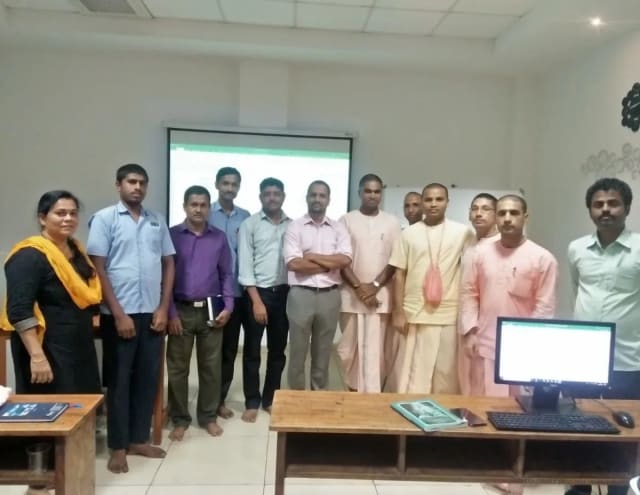
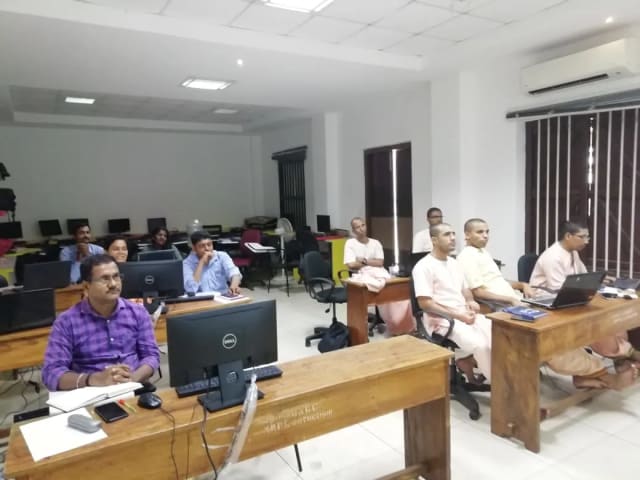


We choose the trainer once we know who is attending, how deep the subject goes and how it will be delivered.
Co-founder & Lead Instructor, Technovids Consulting
Pankaj is a co-founder and the lead instructor at Technovids Consulting. His programme work spans practical AI adoption, AI engineering, evaluation, responsible production AI, data analytics and corporate learning design, with an emphasis on hands-on exercises connected to workplace tasks.
Expertise:
AI & Machine Learning Trainer, Strategist and Consultant
Junaid is an AI and machine-learning trainer, strategist and consultant with more than 22 years of training experience. His work combines enterprise AI education, business-centred adoption, responsible AI practices and applied solution design, helping professional audiences connect AI concepts to real organisational needs.
M.E. in Computer Engineering, specialising in Artificial Intelligence · author of programming books on Python, Java and C++
Expertise:
Technical Trainer & Curriculum Architect
Pradeep is a technical trainer and curriculum architect with more than 20 years of experience across enterprise technology, cloud infrastructure and advanced AI systems. He designs practitioner-focused programmes, labs and assessments covering AI, LLM systems, Python and machine learning, translating complex technical subjects into structured learning experiences.
Bachelor of Engineering in Electrical Engineering · instructor-led, virtual and blended delivery
Expertise:
Your proposal names the trainer. Not every trainer shown here teaches every programme.
To book a trainer for your team, call +91 86183 46384 or email [email protected].
Updated
Clients who agreed to be named, feedback from people we have trained and real photos from our sessions show how Technovids works. They are not a promise of any particular result.













Hands-on training for people and teams in AI, data, cloud, productivity and workplace skills.
What people we trained found useful in their day-to-day work.
Technovids AI training was very practical and well structured. The sessions helped me understand how AI concepts can be applied in real data engineering and business workflows, instead of only learning theory. The trainer explained the topics clearly with relevant examples, which made the learning experience valuable and easy to follow.
The AI training from Technovids helped me gain a better understanding of Generative AI, prompt engineering, and practical AI use cases for software development. The course was clear, interactive, and focused on real-world applications. It gave me confidence to explore AI tools more effectively in my work.
Technovids delivered the AI training in a very practical and industry-relevant way. As a data engineer, I found the examples and hands-on discussions useful for understanding how AI can improve data workflows, automation, and decision-making. The sessions were well planned and easy to understand.
The AI training program by Technovids was insightful and professionally delivered. It covered important AI concepts in a simple and practical manner, with examples that connected well with data and analytics use cases. The sessions helped me build a stronger foundation in applying AI in real business scenarios.
Technovids conducted the AI training in a very effective and engaging manner. The sessions were practical, easy to follow, and focused on how AI can be used in real software engineering and business workflows. It was a valuable program for understanding the current direction of AI adoption in the industry.
Technovids AI training was a very useful learning experience. The course explained AI concepts in a practical way and showed how developers can use AI tools to improve productivity, problem-solving, and application development. The trainer's approach was simple, clear, and focused on industry use cases.
These answers cover what this page offers. Your written proposal sets out the terms for your own programme.
It is practical workplace learning that helps employees understand where approved AI tools fit, apply them to role-relevant tasks, review outputs and follow the organisation’s information-handling boundaries.
AI training for employees focuses on business teams such as HR, sales, marketing, finance, operations and managers, and on making approved AI tools part of their daily work. Corporate AI training is the wider Technovids portfolio, which also covers leadership, analytics, AI engineering and cloud programmes. Use this page to plan workforce adoption, and the corporate AI training page to compare every programme.
Yes, when the programme follows your rules. Exercises use safe or synthetic examples, or a controlled workspace when real material is needed, so confidential data is not required. Employees practise only with the AI tools and accounts your organisation has approved, and learn which information may never be entered into them.
Yes. Programmes for business functions require no coding. Examples are selected for HR, sales, marketing, finance, operations, support or management roles.
A shared foundation can serve a mixed cohort, followed by function-specific breakouts or modules. A single identical exercise for every role is usually less useful.
Technovids can cover the tools approved for the engagement. The agenda should match the organisation’s licences, policies and workflows; it does not assume every tool is available to every participant.
Yes. Technovids runs private, hands-on AI workshops for companies, onsite at your office or live online. A workshop can be a short awareness session, a one- or two-day hands-on workshop for one team, or the first step of a modular programme across departments. Every workshop uses the team’s own kinds of tasks and the AI tools your company has approved.
Formats can range from an awareness session to a one- or two-day workshop or a modular upskilling programme. The duration is confirmed after the audience, practice and adoption objective are clear.
In-house means a private programme for one organisation. It can be delivered onsite at the client’s workplace or live online for a distributed team.
Select a few approved workflows, assign owners, give managers review criteria, collect evidence and adjust the guidance. Wider adoption requires change and governance work as well as employee skills.
Tell us who the training is for, roughly how many people, and what you want them to do better at work. The Technovids team will scope it and reply with a written proposal.
Request received
Thank you — your request has been sent to the Technovids corporate training team. If you would rather speak to someone directly, the phone and WhatsApp details are at the top and bottom of this page.
2nd Floor, Chandrodaya Complex, 19/19, 24th Main Rd, near Hanuman Temple, Agara Village, 1st Sector, HSR Layout, Bengaluru, Karnataka 560102.
Please contact us before visiting the head office. The HSR Layout address is a head office, not a walk-in public classroom.