
2-day workshop · ACE-aligned practice
Google Cloud Platform (GCP) Training for Corporate Teams
Practise the Google Cloud tasks engineers need to set up, deploy, secure and observe cloud solutions, with a clear boundary between a two-day workshop and full certification readiness.
- Duration
- 2 days · 16 hours
- Platform
- Google Cloud
- Practice
- Console, CLI and guided labs
- Alignment
- Associate Cloud Engineer
What is the Google Cloud Platform Training course?
Google Cloud Platform Training for Corporate Teams is a 16-hour hands-on workshop covering projects, billing, IAM, Compute Engine, storage, GKE, Cloud Run, BigQuery, networking and cloud operations. Labs focus on common platform tasks and are mapped to areas in the Associate Cloud Engineer exam guide. Google recommends substantial hands-on experience before the ACE exam, so this workshop should be treated as structured practice and gap identification—not a pass guarantee or a replacement for ongoing experience. Technovids delivers this GCP training in India onsite at your office or live online. It is Google Cloud engineer training for teams that run workloads on GCP.
Is this the right course for you or your team?
Who it is for
- Cloud, platform, DevOps and backend engineers working with Google Cloud
- Data engineers and analysts using BigQuery
- Teams beginning a GKE or Cloud Run adoption
- Associate Cloud Engineer candidates who already have foundational IT knowledge
Situations it fits
- Engineers know individual products but not the resource and IAM model
- A team needs guided deployment practice before working in a controlled environment
- Data and application teams need a common view of BigQuery, compute and operations
- ACE candidates need a diagnostic of applied gaps
Prerequisites
- Basic Linux, networking and command-line familiarity
- A laptop capable of using the browser console and agreed CLI tools
- Google Cloud lab access arranged before delivery
When a different course fits better
This is an applied Google Cloud workshop.
- AWS Cloud Practitioner Trainingfor a broader foundation with less engineering depth
- Microsoft Azure for Enterprise Teamsfor teams working in an Azure and Microsoft environment
The business problems this course addresses
The workshop focuses on connected operating tasks, not an isolated tour of product names.
| Task | The usual problem | What participants practise |
|---|---|---|
| Set up an environment | Projects, billing, APIs, identity and quotas are configured without a coherent boundary. | Create or inspect the resource hierarchy, IAM roles, service accounts, APIs, budgets and quotas as one setup flow. |
| Choose a runtime | VMs, GKE and Cloud Run are selected by familiarity rather than requirements. | Compare control, operations, scaling and workload constraints before choosing a compute option. |
| Operate a deployment | A workload runs, but logs, metrics, alerts and recovery are missing. | Add observability and use evidence from the platform to investigate a controlled issue. |
| Prepare for ACE | Candidates memorise commands without being able to complete a platform task. | Practise tasks from the official domains and document gaps that require further experience. |
What participants will be able to do
Practise the skills below through course exercises, then check the results and explain how you would apply them to your work.
Set up a cloud environment
Work with projects, billing, APIs, IAM and resource boundaries using an approved lab setup.
Deploy common compute
Provision a VM and deploy a container through an agreed Google Cloud runtime.
Work with data services
Use storage and BigQuery concepts to organise, query and protect data in a lab scenario.
Apply identity controls
Use roles and service accounts with a least-privilege mindset.
Observe operations
Inspect logs and metrics, configure an alert and use platform evidence during troubleshooting.
Build an ACE study plan
Compare current ability with official exam tasks and identify the experience still needed.
Services used in the guided labs
The selected labs depend on cohort experience, permissions and the agreed learning outcome.
Google Cloud Console and CLI
by Google CloudEnvironment and resource operations
- Projects and billing
- Compute and storage
- IAM and service accounts
- What to verify
- Run commands only in the approved project and verify the active account and project first.
Google Kubernetes Engine
by Google CloudContainer-orchestration practice
- Cluster concepts
- Workload deployment
- Services and scaling
- What to verify
- A two-day lab introduces operating tasks; it does not replace production Kubernetes engineering experience.
BigQuery
by Google CloudData and query practice
- Datasets and tables
- Partitioning concepts
- Query review
- What to verify
- Query cost and data access depend on the real dataset, configuration and permissions.
2 days · 16 live hours
Detailed curriculum
4 modules, each pairing short instruction with guided practice. Sequence and examples can be adjusted after the training-needs discussion; the core outcomes stay the same.
Day 1
Session 14 hours Environment, identity and core compute
- Projects, billing and resource hierarchy
- IAM roles and service accounts
- Compute Engine and managed instance concepts
- Cloud Storage and access boundaries
Practical activitySet up a bounded project workflow and deploy a small compute resource.
Session 24 hours Containers and managed runtimes
- Container fundamentals
- GKE cluster, workload and service concepts
- Cloud Run deployment choices
- Artifact and release flow
Practical activityDeploy a containerised service and inspect how it is exposed and scaled.
Day 2
Session 34 hours Data, events and service selection
- BigQuery organisation and query patterns
- Storage and database selection
- Pub/Sub and event-driven concepts
- Workload-to-service comparison
Practical activityQuery a training dataset and map an event flow across services.
Session 44 hours Networking, operations and ACE gap review
- VPCs, firewall rules, DNS and NAT concepts
- Logging, monitoring and alerts
- Infrastructure-as-code orientation
- ACE domain diagnostic and study plan
Practical activityInvestigate a controlled operational issue and document the next skills to practise.
Need the agenda built around your team’s work?
Share the roles attending and the tasks to improve. The proposal sets out the adapted agenda.
Exercises and practical outputs
Short explanations, then guided practice, review and a task from your own work.
How every module runs
Understand
Learn how to make the decision, the key terms and the standard expected.
Observe
Watch the trainer apply the method to a realistic example.
Practise
Do a short task, lab, role play or working exercise.
Review
Use evidence and feedback to improve your work and decide where to use it next.
Exercises use realistic examples with no sensitive data. What participants make in the workshop is for practice and review, and anything they keep is their own working material.
Practise in a safe space before you touch live systems
Cloud labs can be undone, use only the access they need and keep costs visible. No standard exercise needs access to your live systems.
The cloud vendor’s own documentation is the final word on how services work and what each certification covers. Your own security, design and change rules still apply.
Stay in a training account
Practise in an approved sandbox or training account, with no live data, workloads or passwords.
Give the least access needed
Grant only the access the lab needs, avoid long-lasting keys and delete temporary resources when you finish.
Watch spending and limits
Set budgets or alerts where you can, know what you are billed for and check that clean-up really finished.
Check before going live
Review region, identity, networking, resilience, logging and company policy before using a lab pattern for real.
How the course is tailored and delivered
We shape private training around your roles, starting level, systems, policies and the situations your people must handle afterwards.
From first conversation to evaluation
Agree the job outcome
Agree what your people should be able to explain, do or produce after the programme.
Check the starting point
Look at experience, tools, terms and access, so the course does not start at the wrong level.
Pick realistic practice
Choose useful scenarios and data without exposing anything confidential or restricted.
Agree how completion is shown
Confirm the practical output, how feedback is given and the follow-up expected.
Delivery formats
Private corporate cohort
Best for: One company building the same skills or platform know-how across a team
Live online or at your office. The proposal confirms the scope, exercises, prerequisites, group size and support.
Modular programme
Best for: Teams that need to fit learning around their work
The course can be split into shorter sessions, with practice in between. The schedule and handover are agreed in writing before we start.
Delivery modes
Live online
Trainer-led sessions with demos, group practice, review and shared documents.
Onsite
Private training at your office, with prerequisites and room or lab needs agreed beforehand.
Practice, feedback and working sessions—not a slide marathon
Technovids training sessions with different groups. The photos do not name a client, course or result.

Photo 1 of 10: Hands-on session 
Photo 2 of 10: Group photo 
Photo 3 of 10: Hands-on session 
Photo 4 of 10: Group photo 
Photo 5 of 10: Classroom session 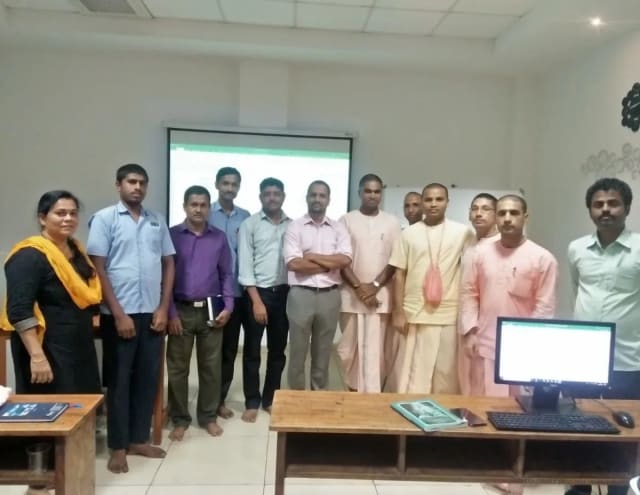
Photo 6 of 10: Group photo 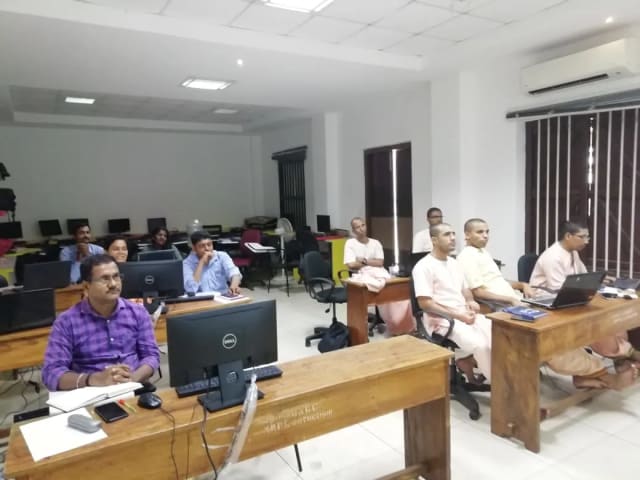
Photo 7 of 10: Computer-lab session 
Photo 8 of 10: Group photo 
Photo 9 of 10: Classroom session 
Photo 10 of 10: Group photo
For L&D and procurement teams
The published course parameters on one page. Final scope, dates and fees are confirmed in the written proposal.
Discuss your team’s requirements| Course | Google Cloud Platform Training |
|---|---|
| Duration | 16 live hours across 2 days or an agreed modular schedule |
| Recommended group | 10–25 participants for guided labs and review |
| Prerequisites | Basic Linux, networking and command-line familiarity |
| Lab access | Google Cloud sandbox or approved project arrangements confirmed in the proposal |
| Certification boundary | ACE-aligned practice; Google exam, fee and outcome are separate |
Who may deliver this programme
We choose a trainer whose subject knowledge and teaching experience suit your group and the agreed scope.
Pankaj Rana
Co-founder & Lead Instructor, Technovids Consulting
Pankaj is a co-founder and the lead instructor at Technovids Consulting. His programme work spans practical AI adoption, AI engineering, evaluation, responsible production AI, data analytics and corporate learning design, with an emphasis on hands-on exercises connected to workplace tasks.
Expertise:
- Practical AI adoption
- Prompting and evaluation
- Responsible AI
- Corporate learning design
Junaid Khateeb
AI & Machine Learning Trainer, Strategist and Consultant
Junaid is an AI and machine-learning trainer, strategist and consultant with more than 22 years of training experience. His work combines enterprise AI education, business-centred adoption, responsible AI practices and applied solution design, helping professional audiences connect AI concepts to real organisational needs.
M.E. in Computer Engineering, specialising in Artificial Intelligence · author of programming books on Python, Java and C++
Expertise:
- Enterprise AI and ML training
- AI strategy and adoption
- Responsible AI
- Applied AI solution design
Pradeep Varadarajan
Technical Trainer & Curriculum Architect
Pradeep is a technical trainer and curriculum architect with more than 20 years of experience across enterprise technology, cloud infrastructure and advanced AI systems. He designs practitioner-focused programmes, labs and assessments covering AI, LLM systems, Python and machine learning, translating complex technical subjects into structured learning experiences.
Bachelor of Engineering in Electrical Engineering · instructor-led, virtual and blended delivery
Expertise:
- AI and LLM systems
- Curriculum architecture
- Python and machine learning
- Hands-on lab design
The trainer for your sessions is confirmed with the dates or in the written proposal.
To book a trainer for your team, call +91 86183 46384 or email [email protected].
Updated
Organisations we have trained, and participant perspectives
Feedback shared with permission, and clients who agreed to be named, show how we deliver. They are not a promise of a certification, promotion, sales or any other result.
Organisations we have delivered training for

















Hands-on training for people and teams in AI, data, cloud, productivity and workplace skills.
Participant experiences across workplace roles
What people we trained found useful in their day-to-day work.
- Gauraw DeshmukhData Engineer · Capgemini
Technovids AI training was very practical and well structured. The sessions helped me understand how AI concepts can be applied in real data engineering and business workflows, instead of only learning theory. The trainer explained the topics clearly with relevant examples, which made the learning experience valuable and easy to follow.
- PriyanshaSoftware Developer
The AI training from Technovids helped me gain a better understanding of Generative AI, prompt engineering, and practical AI use cases for software development. The course was clear, interactive, and focused on real-world applications. It gave me confidence to explore AI tools more effectively in my work.
- Sidda RajuData Engineer
Technovids delivered the AI training in a very practical and industry-relevant way. As a data engineer, I found the examples and hands-on discussions useful for understanding how AI can improve data workflows, automation, and decision-making. The sessions were well planned and easy to understand.
- Akshat KabraData Engineer
The AI training program by Technovids was insightful and professionally delivered. It covered important AI concepts in a simple and practical manner, with examples that connected well with data and analytics use cases. The sessions helped me build a stronger foundation in applying AI in real business scenarios.
- MangeshSoftware Engineer · Siemens
Technovids conducted the AI training in a very effective and engaging manner. The sessions were practical, easy to follow, and focused on how AI can be used in real software engineering and business workflows. It was a valuable program for understanding the current direction of AI adoption in the industry.
- ReshuSoftware Developer
Technovids AI training was a very useful learning experience. The course explained AI concepts in a practical way and showed how developers can use AI tools to improve productivity, problem-solving, and application development. The trainer's approach was simple, clear, and focused on industry use cases.
Common questions before planning this course
Answers about the course as published. Your written proposal records any changes we agree, how it is delivered and the price.
Can Google Cloud Platform Training be customised for our organisation?
Yes. Private programmes can reflect your roles, starting level, approved systems, industry and the work situations we agree. The proposal records the final agenda and outputs.
Can this be delivered onsite or live online?
Yes. Private groups can choose either. Dates, location, session plan, group size and any technical or room needs are confirmed in writing.
Is a Technovids completion certificate included?
Yes, for people who meet the completion requirements. Each Technovids certificate has a unique ID you can check on the Technovids website. It is not a cloud-vendor or professional-body certification.
Does the course prepare participants for Associate Cloud Engineer?
It maps guided practice and review to important tasks in the official exam guide. Google recommends 6+ months of hands-on experience before the exam, so the workshop is one part of preparation rather than a guarantee of readiness.
Are Google Cloud accounts provided?
Lab access is confirmed per engagement. Technovids can use an agreed sandbox arrangement or the client can provide approved training projects. Account ownership, quotas, clean-up and any usage charges are documented before delivery.
Is BigQuery or GKE the main focus?
The standard workshop covers both as part of the broader platform. A private programme can place more practice on data engineering, containers or core infrastructure after a prerequisite check.
Is the workshop suitable for complete beginners?
Participants should already understand basic networking, Linux and command-line concepts. A foundation briefing can be added when the cohort needs it.
Turn a training requirement into a clear course proposal
Share the audience, team size, delivery preference and the work you want to improve. Technovids will scope the programme and confirm the details in a written proposal.
Request received
Thank you — your request has been sent to the Technovids corporate training team. If you would rather speak to someone directly, the phone and WhatsApp details are at the top and bottom of this page.