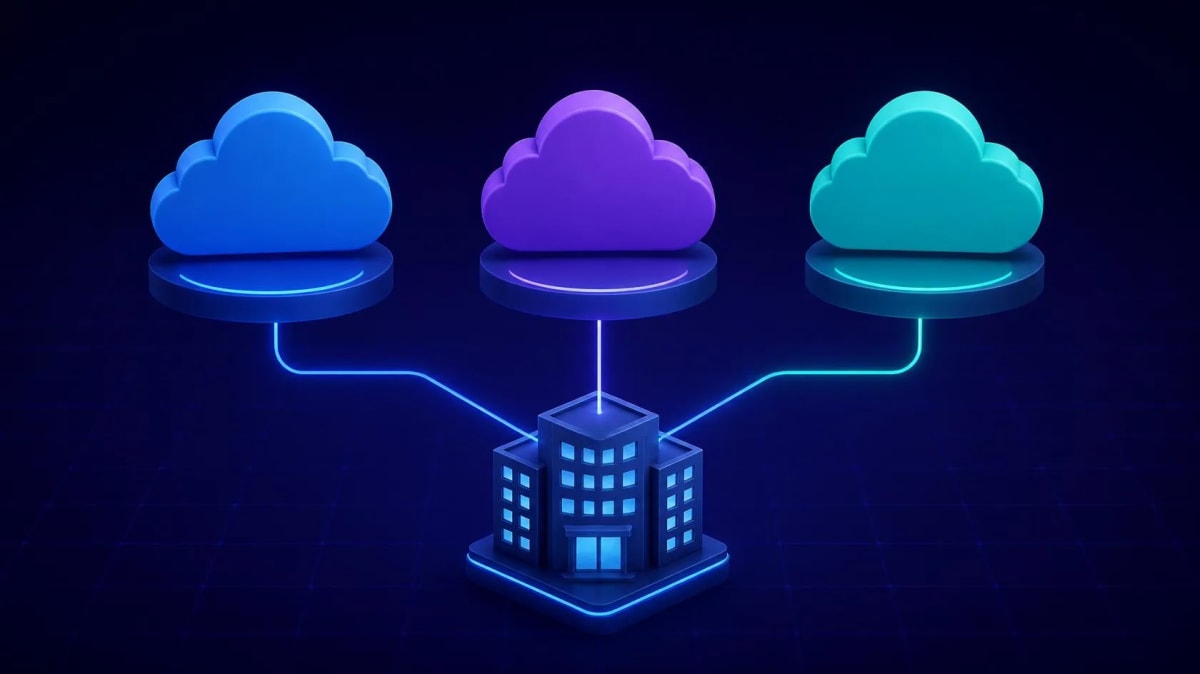

Cloud migration has been called “the future” for Indian companies for almost ten years. In 2026 it is no longer the future; it is the normal starting point. Companies that have not moved their main workloads to the cloud are now at a real disadvantage: they pay more for computing, they grow more slowly, it is harder for them to add AI tools, and their disaster recovery would not be accepted by most cloud-based competitors.
This cloud migration guide is built for Indian enterprise technology leaders who are past the "should we migrate?" question and into the "how do we do this without it going wrong?" question. We cover the complete journey — from pre-migration assessment through strategy selection, phased execution, cost optimisation, and the common mistakes we have seen derail otherwise well-planned migrations across 40+ enterprise deployments.
Why Cloud Migration Is Urgent for Indian Enterprises in 2026
The business case for moving to the cloud has grown much stronger in the past two years, because of three pressures that come together for Indian companies:
Harder to add AI: Every major AI service, from Azure OpenAI to AWS Bedrock to Google Vertex AI, runs in the cloud. Companies on their own servers can still use them, but connecting is much harder and slower than for companies already in the cloud. As Indian companies adopt AI faster, running your own servers increasingly slows down AI projects.
Data localisation compliance: The Digital Personal Data Protection Act (DPDP Act) 2023 and changing RBI rules on cloud use have made the compliance picture clearer for Indian companies. The major cloud providers (AWS, Azure and GCP) now have data centres in India with certifications that cover most Indian rules. This has lowered the compliance risk of moving to the cloud, while keeping non-compliant in-house systems has become harder.
Infrastructure cost crossover: The economics of on-premise hardware have shifted. With server hardware costs elevated, skilled infrastructure staff increasingly expensive and rare, and cloud pricing declining approximately 10–15% annually, the total cost of ownership calculation now favours cloud for most Indian enterprise workloads — not as a future projection but as a current reality.
Pre-Migration Assessment: Know Before You Move
Application Discovery and Inventory
Every cloud migration starts with the same first step, and companies that skip or rush it pay a high price later: a full, accurate list of what you are moving. That means every application, what it depends on (the data it uses, the systems that use it, sign-in systems and shared libraries), how it performs today (computing power, memory, storage and network) and how critical it is to the business.
The discovery tools we use in client engagements:
- AWS Migration Hub + AWS Application Discovery Service: Finds your own servers, with or without agents, and maps their dependencies automatically
- Azure Migrate: Finds servers without agents, checks how ready each workload is for Azure and compares its total cost
- Google Cloud Migrate: Finds and assesses servers, and is especially strong for VMware setups
Do not rely on existing CMDB data alone — in our experience, CMDBs at most Indian enterprises are between 40% and 70% accurate for the dependency data you actually need for migration planning. Run automated discovery in parallel with CMDB review.
Application Portfolio Analysis
The result of the assessment is a list of applications sorted in two ways: how ready each is for the cloud (how easily can it move?) and how critical it is (what does it cost if something fails during the move?). Sorting both ways gives you a priority grid for the migration:
- High readiness, lower criticality: Move first. Quick wins build the team’s confidence and prove your tools
- High readiness, high criticality: Move in the middle waves, with full preparation and tested rollback plans
- Low readiness, lower criticality: Think about retiring or replacing these rather than moving them
- Low readiness, high criticality: Move last, with the most planning and the longest period running side by side; some may be better kept on your own servers (“retain”)
Financial Modelling
Build a total cost of ownership comparison across a three-year horizon that includes: current on-premise costs (hardware, data centre, power, cooling, networking, software licences, and the often-ignored staff time for infrastructure management) versus projected cloud costs (compute, storage, networking, managed services, plus cloud management tooling). For most Indian enterprises, the break-even point versus on-premise is twelve to eighteen months, with significant savings from Year 2 onwards.
Use each provider’s TCO calculator as a starting point, but treat the results as estimates, not promises. Real cloud costs depend heavily on the migration strategy you choose and how carefully you keep costs down after the move.
Cloud Migration Strategies: The 6 Rs
The “6 Rs” framework, first used by AWS, is still the most common way to think about migration strategy. Understanding it well, not just as labels but as real choices with different risks, costs and benefits, is one of the most important skills for anyone leading a cloud migration.
Rehost (Lift and Shift)
Move virtual machines from your own servers to cloud VMs with no changes to the applications. It is the fastest way to move, with the lowest engineering cost and the lowest risk of an application failing during the move. It does not give you cloud benefits: you pay cloud prices for an in-house design. Use it for: complex older applications whose inner workings are not well understood, applications where the risk to business continuity during the move must be as low as possible, and applications due to be retired, where money spent modernising them would not be earned back.
Typical timeline: two to four weeks per wave, depending on application count and team capacity.
Replatform (Re-platform)
Make targeted changes to use the cloud’s managed services, without changing how the application is built. Move a SQL Server database to a managed database service (Azure SQL, Amazon RDS or Cloud SQL) while leaving the application code as it is. Move a web application from IIS on a VM to a managed application service, again without changing the code.
Replatforming is the sweet spot for most Indian company migrations. It gives real cloud benefits (managed services remove database and server admin work, include high availability and patch themselves automatically) without deep changes to how applications are built. Typical timeline: four to eight weeks per application, depending on how complex the database is.
Repurchase (Replace with SaaS)
Retire the on-premise application and replace it with a SaaS alternative. This strategy is dramatically underused by Indian enterprises — probably because it feels like admitting the existing investment was wrong. But for commodity applications without significant customisation (HRMS, CRM, project management, ERP modules), the total cost of operating a cloud-hosted custom application almost always exceeds the cost of an equivalent SaaS subscription within three to four years.
Refactor (Rearchitect)
Rebuild applications to make full use of the cloud: split large applications into microservices, move batch jobs to serverless (Lambda, Azure Functions or Cloud Functions) and run containers with Kubernetes. It gives the most cloud benefit (auto-scaling, paying only for what you use and very high resilience) but needs the most engineering work. Keep refactoring for applications where the case for modernising is clear and you have the engineers to do it.
Retire
Decommission applications that are no longer serving their intended purpose. Every significant application portfolio contains dormant or near-dormant applications that are consuming infrastructure resources and staff attention. The discovery phase typically identifies that 15–25% of an application portfolio can simply be turned off — often the highest-ROI "migration" decision in the entire programme.
Retain
Keep it on your own servers, on purpose. Some applications really are not ready to move: those that need faster responses than cloud networks can give, those under rules that current cloud certifications do not cover, or those so tied to physical hardware that running them virtually is not practical. Retaining is a valid strategy, not a failure, but it should be a deliberate choice based on written criteria, not a default.
Step-by-Step Migration Execution
Phase 1: Foundation (Weeks 1–4)
Before any workloads move, set up the cloud foundation: subscriptions and accounts, identity and access, the network (virtual network design, IP ranges and links to your own servers), basic security, cost tools and rules. Mistakes in the foundation, especially in network design, cost a lot to fix once live workloads are running. Take the time up front.
Key foundation deliverables:
- Account structure: a landing zone with separate accounts or subscriptions for production, development and shared services
- Network design: plan IP addresses for today’s workloads and future growth, with no overlap between your own and cloud ranges
- Identity: link your in-house Active Directory to cloud identity so people sign in once across both
- Connectivity: a VPN or dedicated link (ExpressRoute or Direct Connect) between your own servers and the cloud, with enough bandwidth for the move
- Basic security: multi-factor sign-in, network security groups, encryption rules and logging switched on from day one
- Cost control: budget alerts, a set of tags and a first dashboard showing costs
Phase 2: Pilot Migration (Weeks 4–8)
Pick two or three applications that are typical of the rest but not critical to the business. The point of the pilot is not to move these applications; it is to prove your foundation, tools and process before you use them on critical workloads.
Run the cloud and your own servers side by side for at least two weeks after the pilot move. During that time, compare application performance with how it ran before, check that every connection works and test disaster recovery (deliberately break the cloud setup and check that it recovers). What you learn in this period feeds into the step-by-step guides for your live moves.
Phase 3: Production Migration Waves (Weeks 8–32)
Live migration runs as a series of waves, usually two to five applications per wave. The priority grid from the assessment decides what goes in each wave: start with simpler applications that are more ready, and move to harder ones as the team gains skill.
Each wave follows a consistent process:
- Wave planning (two weeks before): A detailed step-by-step guide for each application, a written and tested rollback plan, and a switch-over time agreed with the business
- Preparation before the move: Check the environment, check that backups work, test the network links and tell everyone affected
- Switch-over: Usually at a quiet time (Friday night to Saturday morning in most Indian companies), following the guide step by step
- Checks after switch-over (48–72 hours): Watch closely, check that everything works and compare performance with the starting point
- Shut down your own servers: Only after 30 days of stable running in the cloud; doing it sooner is a needless risk
Phase 4: Optimisation (Ongoing from Week 12)
Keeping cloud costs down is not a project; it is ongoing work. Companies that treat it as a project finish the move and then watch costs grow unchecked for a year before acting. Hold monthly FinOps reviews from the moment the first live workload moves, with costs as a standing item on the agenda.
Cloud Cost Management and Optimisation
The Cost Optimisation Hierarchy
Cutting cloud costs follows a set order, based on effort and impact:
- Eliminate waste first: Delete unused resources (orphaned storage, stopped but not deleted VMs, unused IP addresses, old snapshots). Typical saving: 8–12% of total bill with minimal effort.
- Right-size running resources: Use provider cost advisors to identify over-provisioned instances. The most common pattern: production servers provisioned for peak load running at 15–20% average CPU. Right-sizing to match actual utilisation typically saves 20–30% on compute costs.
- Match the pricing model to the workload: Buy reserved capacity (one or three years) for steady, predictable workloads; use spot or preemptible machines for batch jobs that can cope with interruptions; keep pay-as-you-go only for workloads that really vary.
- Optimise storage tier placement: Implement lifecycle policies to automatically transition data to cheaper storage tiers as it ages. For large data archives, this alone can save 40–60% on storage costs.
- Design for low cost: Auto-scaling, serverless for workloads that vary and shared services for common parts. These need engineering work but the savings grow over time.
Governance and Visibility
You cannot optimise what you cannot see. The three governance implementations that have the highest return on setup time:
- Tags: Tag every resource with Project, Environment (prod, dev or test), Team and CostCentre. Without tags, you cannot tell who spent what, and cutting costs is guesswork.
- Budget alerts: Set alerts at 80% and 100% of monthly budget for each cost centre, with automated notifications to both the technical team and financial controller. Surprises in cloud bills are a governance failure, not a cloud problem.
- Spotting unusual costs: Turn on the provider’s own alerts for unexpected cost spikes. A badly set-up service running at 10 times its normal cost should be caught within hours, not when the monthly bill arrives.
Security and Compliance During Migration
Security Architecture Principles
Cloud security follows a shared responsibility model: the provider secures the physical infrastructure and core platform services; you secure your configuration, data, and application code. The most common cloud security failures in Indian enterprise deployments are configuration failures — misconfigured storage buckets, overly permissive network security groups, secrets in environment variables — not platform vulnerabilities.
The security controls that must be in place from day one of any production cloud deployment:
- Identity and access: Require multi-factor sign-in for every account, give people only the access their role needs and review admin access every quarter
- Network segmentation: Live environments should never be open to the public internet except at set entry points (load balancers and API gateways). All other traffic should go through private networks.
- Data encryption: Encryption at rest (enabled by default on most managed services, but verify) and in transit (TLS 1.2+ enforced)
- Secrets: No passwords or keys in code, settings files or environment variables. Use a dedicated secrets service (AWS Secrets Manager, Azure Key Vault or Google Secret Manager).
- Audit logs: Log every cloud API call from day one. These logs are essential for security investigations and regulatory compliance.
Compliance Considerations for Indian Enterprises
Key regulatory requirements affecting Indian enterprise cloud migrations:
- DPDP Act (2023): Personal data of people in India must be handled with suitable security controls; sending data abroad must follow Central Government rules that are still pending
- RBI Cloud Guidelines: BFSI companies must keep data in India, keep the right to audit cloud providers and have a written plan for leaving a cloud provider
- SEBI Circulars: Capital market firms have specific rules on data backup, recovery and keeping audit trails available
All three major cloud providers have data centre regions in India and certifications that cover most of these rules. Check which rules apply to each workload before you choose cloud regions and design how data is stored.
Common Migration Mistakes Indian Enterprises Make
- Skipping or rushing assessment: The organisations that migrate without a proper application inventory consistently discover unexpected dependencies mid-migration, causing delays, incidents, and emergency rollbacks. Four weeks of thorough assessment saves months of remediation.
- Not planning network address ranges: Clashing IP addresses between your own and cloud networks are a common problem, and easy to avoid. Set your cloud IP ranges in the foundation stage, check they do not overlap with any existing range (including disaster recovery sites and partner networks) and write everything down.
- Treating migration as a big-bang event: Migrating everything simultaneously is the highest-risk approach available. Every successful large-scale migration we have supported has used phased waves. The additional time required for phasing is always less than the time lost to incidents from big-bang approaches.
- Leaving cost control until after the move: Unmanaged cloud costs grow to match the worst habits of every team. Set up tags, budgets and cost reports before the first live workload moves, not after the first surprise bill.
- Not training the IT team before migration begins: Cloud operations require different skills from on-premise operations. Teams that learn cloud operations during a production migration do so at the worst possible time. Our recommendation: start cloud training at least six weeks before the first pilot wave.
- Shutting down your own servers too soon: It is tempting to switch off expensive in-house servers as soon as the move is done, but it is costly if you then need to roll back. Keep them running for at least thirty days after switch-over before shutting them down.
- No change management for users: Moving server workloads is an IT project; moving applications that people rely on is a change programme. Applications that users work in need communication, training and support, not just a technical switch-over.
Case Study: 500-Employee Manufacturing Company
A manufacturing company with 500 employees and operations across four Indian states engaged us for a cloud migration spanning twelve months. The business driver: two data centres approaching end of support, combined with a new ERP implementation that their existing infrastructure could not scale to support.
Starting position: 120 on-premise servers across two locations, mixed Windows Server 2012/2016, SQL Server 2012/2019, one internally developed ERP application (Windows Forms), two SaaS applications with on-premise data sync requirements, and three manufacturing floor systems with real-time data requirements.
Assessment findings: The internally developed ERP was the highest-risk workload — undocumented, with multiple database dependencies, and mission-critical for manufacturing operations. The manufacturing floor systems had sub-100ms latency requirements that eliminated standard cloud VM options. The SaaS synchronisation requirements pointed to Azure specifically, as both SaaS providers had native Azure integration.
Strategy selected: Azure (primary, driven by SaaS integration and existing Microsoft licences), with hybrid connectivity for manufacturing floor systems that were retained on-premise. Migration strategies by application: rehost for the ERP (too risky to modify), replatform for SQL Server databases (to Azure SQL Managed Instance), repurchase for the legacy document management system (migrated to SharePoint Online), retain for manufacturing floor systems.
Timeline:
- Months 1–2: Assessment, foundation build, ExpressRoute connectivity established
- Month 3: Pilot — three internal applications migrated, validated, team trained
- Months 4–6: Three migration waves covering non-critical applications and SQL Server databases
- Months 7–9: ERP migration (highest risk, most preparation) — three months of parallel running before cutover
- Months 10–12: Optimisation, cost reduction, legacy decommission
Results at twelve months:
- Infrastructure costs: reduced 28% versus on-premise operating costs
- ERP deployment time: from six hours (on-premise patch application) to forty-five minutes (Azure deployment pipeline)
- Disaster recovery: RTO reduced from forty-eight hours (manual rebuild from backup) to four hours (Azure Site Recovery failover)
- Security incidents: zero post-migration (one per quarter average on-premise)
- IT staff time on infrastructure: reduced 60%, redeployed to application development and business intelligence projects
"The phased approach meant we never had a moment where the business was genuinely at risk. Every wave was planned, tested, and executed with a clear rollback plan. The Technovids team knew what they were doing and that confidence transferred to our team." — IT Director, Manufacturing Company, Pune
Frequently Asked Questions
How long does a complete enterprise cloud migration take?
For 50–200 workloads, the full migration programme typically runs nine to eighteen months: two to four weeks of assessment, four to six weeks of foundation build, four to eight weeks of pilot, and then production migration waves at two to four applications per wave every three to four weeks. Organisations that rush the assessment and foundation phases consistently experience longer total timelines due to incidents and rework.
What is the realistic cost compared to on-premise?
With active optimisation (right-sizing, reserved instances, storage lifecycle policies), most Indian enterprises achieve 20–35% total cost reduction versus on-premise operating costs over a three-year horizon. Direct lift-and-shift without optimisation often costs the same or more in Year 1. The savings compound from Year 2 onwards as reserved instance commitments kick in and optimisation practices mature.
How do we handle applications that cannot move to cloud?
The hybrid model (some workloads in the cloud and some on your own servers, joined by a dedicated network link) is a valid and widely used design. Keep on your own servers what truly cannot move (manufacturing systems that need very fast responses, specific regulatory limits and applications due to be retired) and move everything else. The goal is not 100% cloud; it is the best design for your own workloads.
Which cloud provider should we choose?
The choice depends on your existing technology investments, your primary workload types, and your hiring strategy. If you run Microsoft 365 and Active Directory: Azure. If you are Google Workspace-first or have heavy analytics workloads: GCP. If you are starting fresh or have mixed requirements: AWS has the broadest service catalogue and largest talent pool. Read our detailed AWS vs Azure vs GCP comparison for a complete decision framework.
Do we need external help, or can we migrate ourselves?
Teams with strong cloud skills, time set aside for the move and earlier migration experience can handle smaller migrations (under fifty workloads) themselves with good results. For larger or more complex sets of applications, or teams who have not done a migration before, outside help usually lowers the total cost (by avoiding expensive mistakes) and shortens the timeline (by bringing tested tools and step-by-step guides). A mixed model, with outside experts for design and planning and your own team doing the work with coaching, often gives the best balance of cost and skill building.
Whether you are at the beginning of your cloud migration journey or optimising an existing cloud deployment, Technovids brings hands-on experience from 40+ enterprise migrations across AWS, Azure, and GCP. Explore our Cloud Training programmes to build your team's migration capability, or schedule a free migration readiness assessment to discuss your specific environment and the fastest path to a successful cloud deployment.